5.0
Reviewed Feb 18, 2026Highly practical and motivating course. It not only taught me Pygame basics but also encouraged experimentation and creativity while building fully functional games.

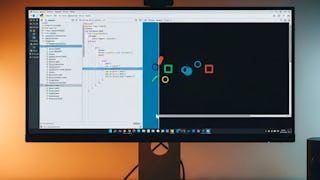
Build a strong foundation in Python game development by learning how to create interactive 2D graphics with Pygame. You’ll begin by installing the essential tools, setting up project files in Jupyter Notebook, initializing Pygame, and configuring a game display. You’ll then explore the structure of a basic Pygame program by sequencing initialization, display, event loop, and exit steps. As you progress, you’ll use Pygame drawing functions to create primitive shapes, apply colors, draw lines, interpret pixel coordinates, and integrate images with the blit function. Through guided, hands-on exercises, you’ll learn how to control visual elements, handle events, and render dynamic content for games and interactive applications. Designed for programming students, hobbyists, aspiring developers, and beginners with no prior game development experience, this course offers a practical path from environment setup to graphics creation. Its structured approach connects Python programming, core game logic, and Pygame graphics in a clear workflow. By the end, you’ll be able to build structured Pygame programs, configure interactive windows, and create visually engaging 2D content. Enroll to gain practical experience applying Python to game development.
Highly practical and motivating course. It not only taught me Pygame basics but also encouraged experimentation and creativity while building fully functional games.
It not only covers coding but also teaches game logic and design, which made the learning experience more complete.
I learned how to handle graphics, sound, and user input while improving my overall Python programming skills.
Very engaging and hands-on training. The use of Pygame to create interactive games made learning Python more practical and enjoyable.
The course boosted my confidence in Python and gave me the skills to start building my own games using Pygame.
This course boosted my confidence in both Python and game development.
A very engaging course that blends programming fundamentals with creative game design.
The step-by-step projects using Pygame helped me understand game loops, events, and graphics with ease.
The instructor’s clear explanations and real-time demos made complex ideas simple and enjoyable.
I gained confidence in using Pygame to develop complete games with sound, controls, and scoring systems.
The hands-on approach made learning Pygame both engaging and practical.
helped me understand game loops, events, and graphics with ease.
Showing: 19 of 19
This course provides a fair introduction to basic pygame concepts, but following the code was often challenging. Many examples contained errors or outdated syntax, making it difficult to run the projects as shown. I had to debug a lot on my own. Updating and testing the code samples would greatly improve the course experience. I would not recommend this to a beginner python user.
The course only includes the basic functions of Pygame which I could easily find from manual. It doesn't even mention how to make a game. It is just "how to render primitives with Pygame".
Highly practical and motivating course. It not only taught me Pygame basics but also encouraged experimentation and creativity while building fully functional games.
Very engaging and hands-on training. The use of Pygame to create interactive games made learning Python more practical and enjoyable.
It not only covers coding but also teaches game logic and design, which made the learning experience more complete.
The course boosted my confidence in Python and gave me the skills to start building my own games using Pygame.
I learned how to handle graphics, sound, and user input while improving my overall Python programming skills.
I gained confidence in using Pygame to develop complete games with sound, controls, and scoring systems.
The step-by-step projects using Pygame helped me understand game loops, events, and graphics with ease.
The instructor’s clear explanations and real-time demos made complex ideas simple and enjoyable.
A very engaging course that blends programming fundamentals with creative game design.
The hands-on approach made learning Pygame both engaging and practical.
This course boosted my confidence in both Python and game development.
helped me understand game loops, events, and graphics with ease.
Highly informative and creative course.
Very informative and helpful.
beginner-friendly👍
,
Modul 2 - Creating different lines, dieser Abschnitt ist voller Fehler und dann werden die Änderungen welche nötig sind das alles funktioniert nicht gezeigt oder auch nur genannt. Man muss also selbst alles debuggen bis man weiter machen kann.